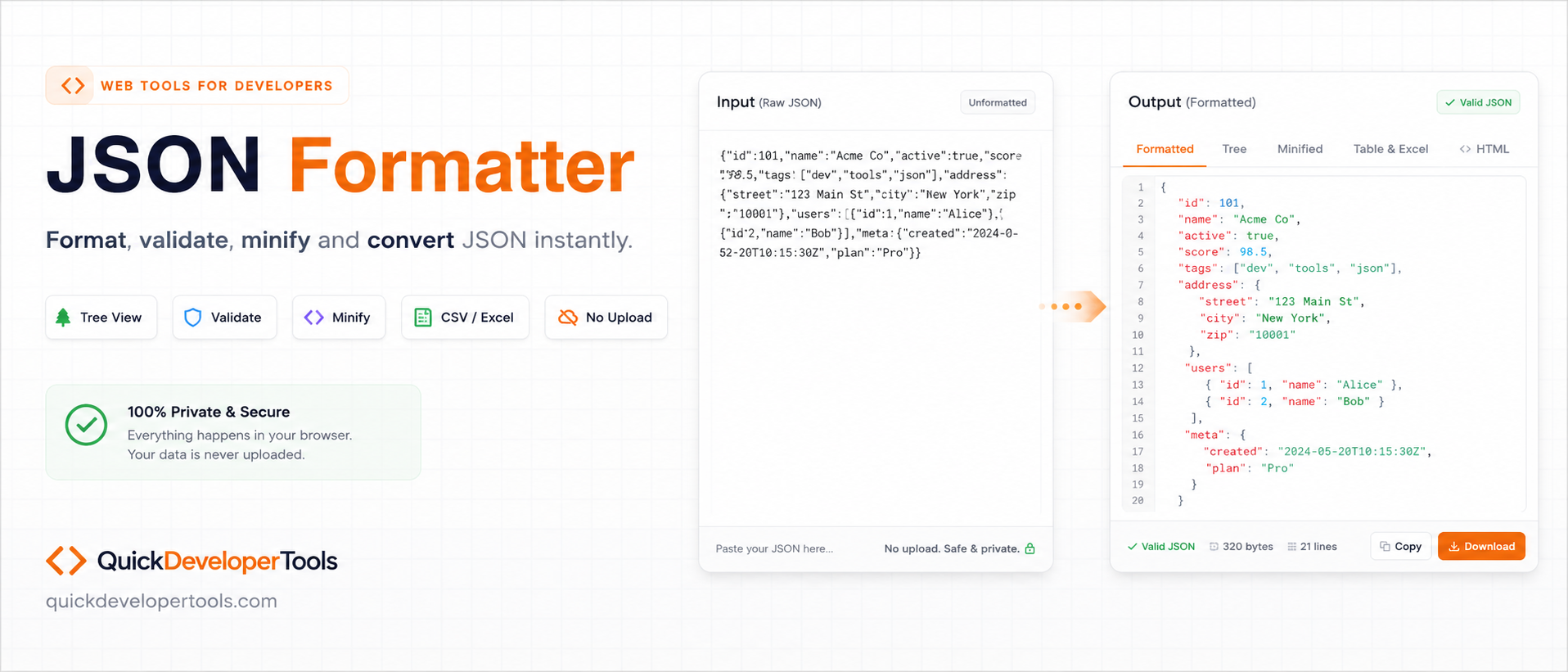
JSON Formatter and Tree Viewer
Paste raw JSON, beautify it instantly, view it as a tree, minify it, search nodes, and copy or download the result.
Raw JSON Input Editor
Paste raw JSON hereBeautified JSON String Output
Complex nested data guide
Online JSON Formatter for Complex Nested Data
QuickDeveloperTools JSON Formatter helps format, validate, beautify, minify, inspect, copy, and download JSON directly in the browser. It is built for real API responses, nested business objects, arrays, order payloads, configuration files, webhook bodies, and large structured JSON documents.
Format and Validate JSON
Paste raw JSON and beautify it with readable indentation. Invalid JSON returns a clear parsing message so you can fix the source quickly.
Tree View and Text View
Switch between formatted text output and a collapsible JSON tree view for exploring complex nested objects and arrays.
Search by Key and Value
Select a detected JSON key, search by full or partial value, highlight matching nodes, or show only matched sections.
Minify, Copy, and Download
Minify JSON for transport, copy formatted output to the clipboard, download the result as a JSON file, or export matched nodes only.
Line Numbers and Font Size
Turn line numbers on or off for both input and output panels, and adjust editor font size for easier reading.
Private Browser Processing
Formatting, validation, search, and downloads run in the browser UI, keeping the workflow fast and simple.
How to Format JSON in Code
QuickDeveloperTools is useful for fast inspection, and these snippets show the same formatting workflow in code.
const data = JSON.parse(rawJson);
const formatted = JSON.stringify(data, null, 2);import json
data = json.loads(raw_json)
formatted = json.dumps(data, indent=2)JSON help center
JSON Formatter FAQ
Learn how JSON formatting, validation, minification, tree view, search, Excel export, and HTML table preview work when handling API responses, nested JSON, database output, and production payloads.
How do I format minified JSON online?#
Paste minified or unformatted JSON into the QuickDeveloperTools JSON Formatter and click Beautify JSON to validate and format it with readable indentation.
What is the difference between minified JSON and formatted JSON?#
Minified JSON removes unnecessary spaces, tabs, and line breaks to reduce file size, while formatted JSON includes indentation and line breaks to make it easier for humans to read.
Why should I format JSON?#
Formatting JSON improves readability, making it easier to understand, debug, and maintain complex data structures.
Why is JSON often minified in production?#
Minified JSON reduces file size, resulting in faster network transfers and improved application performance.
Does formatting JSON change the data?#
No. Formatting only changes whitespace and indentation. The actual JSON data remains unchanged.
Does minifying JSON affect its functionality?#
No. Minified and formatted JSON contain the same data and behave identically when parsed.
What is JSON validation?#
JSON validation checks whether the JSON follows proper syntax rules such as matching brackets, quotes, and commas.
Why is my JSON invalid?#
Common causes include missing commas, extra commas, unmatched brackets, unescaped quotes, or incorrect key-value formatting.
What are JSON objects and arrays?#
Objects store data as key-value pairs inside curly braces, while arrays store ordered lists of values inside square brackets.
Can JSON contain comments?#
No. Standard JSON does not support comments. Adding comments will make the JSON invalid.
What is a JSON key?#
A JSON key is a string that identifies a value within a JSON object, such as "name" in {"name":"John"}.
What data types are supported in JSON?#
JSON supports strings, numbers, booleans, null values, objects, and arrays.
Can I use single quotes in JSON?#
No. JSON requires double quotes around keys and string values.
What is pretty-printed JSON?#
Pretty-printed JSON is formatted with indentation and line breaks to improve readability.
How do I debug a JSON parsing error?#
Validate the JSON and check the reported error location for missing commas, quotes, brackets, or invalid characters.
Can JSON contain special characters?#
Yes. Special characters can be included but may need to be escaped according to JSON syntax rules.
What is nested JSON?#
Nested JSON contains objects or arrays inside other objects or arrays, creating a hierarchical structure.
How can I make large JSON easier to read?#
Use the Beautify JSON option and tree view to format, expand, and navigate the structure more easily.
Can I compare formatted JSON with minified JSON?#
Yes. Both contain the same data; only the whitespace and formatting differ.
What is JSON used for?#
JSON is commonly used for data exchange between web applications, APIs, servers, and databases.
Why do APIs return JSON?#
JSON is lightweight, language-independent, easy to parse, and widely supported across programming platforms.
Can I format JSON copied from an API response?#
Yes. Paste the response into the formatter to validate and display it in a readable format.
Can I open a local JSON file in the formatter?#
Yes. Use Browse JSON File to read a .json file from your device into the browser editor. The file stays local in your browser and is not uploaded.
What is the benefit of JSON tree view?#
Tree view allows you to expand and collapse sections, making large and deeply nested JSON easier to navigate.
How can I find a specific value in large JSON data?#
Use the search feature to quickly locate keys, values, or matching nodes within the JSON structure.
Can I format JSON generated by databases?#
Yes. Any valid JSON generated by databases, APIs, or applications can be formatted and validated.
Can I search inside nested JSON?#
Yes. After formatting JSON, select a key and optionally enter a value to find matching nodes inside nested objects and arrays.
Can I convert JSON to Excel?#
Yes. After beautifying valid JSON, use Generate Excel to download a styled Excel-readable file from flattened JSON rows and columns.
Can I view JSON as an HTML table?#
Yes. After formatting JSON, use View HTML Table to turn root objects, root arrays, and useful nested arrays into readable table sections.
What is the maximum JSON size supported?#
The maximum size depends on your browser and device memory, but most modern browsers can handle large JSON files efficiently.
Is pasted JSON uploaded to a server?#
No. The QuickDeveloperTools JSON Formatter runs in your browser and does not require login.