XML Utility

XML Formatter and Tree Viewer

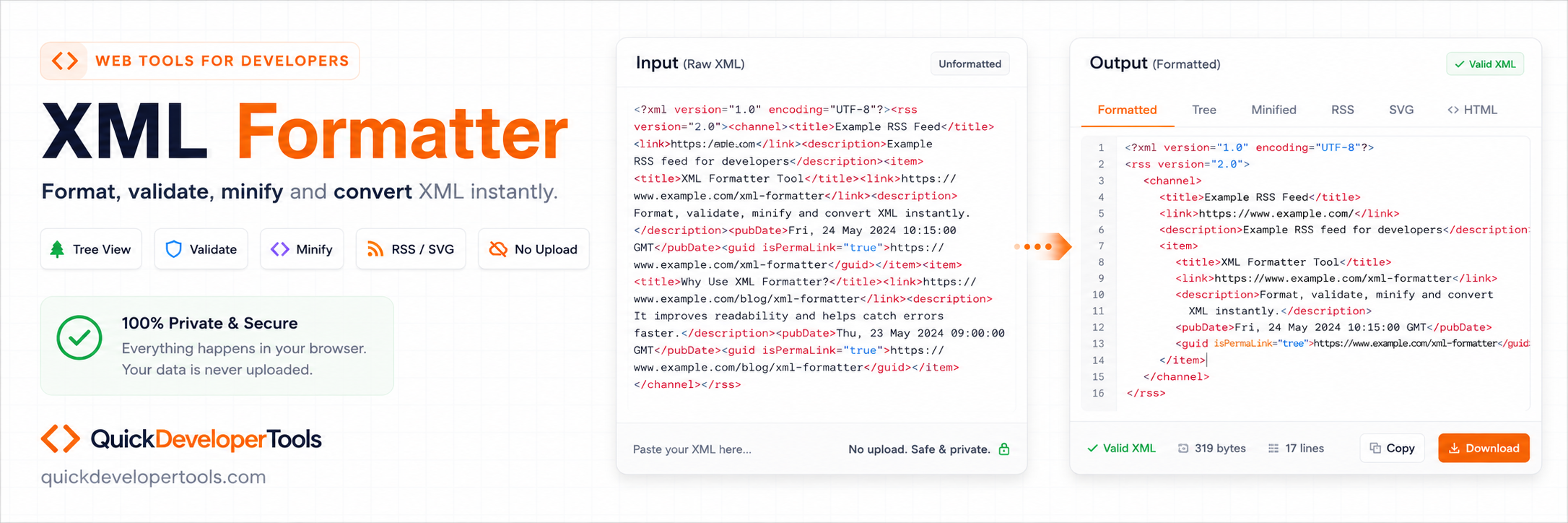
Paste raw XML, validate it, beautify it, minify it, inspect it as a tree, search tags, and copy or download the result. Learn what XML is.

Your pasted XML and browsed files stay in your browser. QuickDeveloperTools does not upload, store, or save your XML data.

Raw XML Input Editor

Paste raw XML here
1

Beautified XML Output

1
No tree data available.

Online XML Formatter for Complex Nested Documents

QuickDeveloperTools XML Formatter helps format, validate, minify, inspect, copy, and download XML directly in the browser. It is built for API payloads, feeds, configuration files, purchase orders, invoices, product catalogs, and deeply nested XML documents.

Learn more about XML

How to Format XML in Code

Use QuickDeveloperTools for fast inspection, or format XML in code when building import, export, and integration flows.

const parser = new DOMParser();
const xmlDoc = parser.parseFromString(rawXml, "application/xml");
using System.Xml.Linq;

var formatted = XDocument.Parse(rawXml).ToString();

Related Developer Tools

XML Formatter FAQ

What is an XML Formatter?

An XML Formatter formats XML data with proper indentation and line breaks, making it easier to read and understand.

How do I format XML online?

Paste your XML into the editor and click Format XML to automatically indent and organize the document.

Can this format minified XML?

Yes. The formatter converts minified XML into a readable, properly indented structure.

What is the difference between minified XML and formatted XML?

Minified XML removes unnecessary whitespace to reduce file size, while formatted XML adds indentation and line breaks for readability.

Does formatting XML change the data?

No. Formatting only changes whitespace and indentation. The XML content and structure remain unchanged.

Can I validate XML syntax?

Yes. The tool checks XML syntax and reports errors such as missing tags, invalid nesting, or malformed elements.

Why is my XML invalid?

Common reasons include unclosed tags, mismatched opening and closing tags, invalid characters, or incorrect nesting.

Can I search within XML data?

Yes. You can search for specific tags, attributes, or values within the XML document.

Does the XML Formatter support large XML files?

Yes. Large XML files can be formatted and viewed, subject to browser and device memory limits.

Can I collapse and expand XML nodes?

Yes. Tree view allows you to expand or collapse XML elements for easier navigation.

What is XML used for?

XML is commonly used for data storage, configuration files, web services, RSS feeds, and system integrations.

What is an XML tag?

An XML tag defines an element in an XML document and is enclosed within angle brackets, such as <book>.

What are XML attributes?

Attributes provide additional information about an XML element and appear inside the opening tag.

Can XML contain comments?

Yes. XML comments use the syntax <!-- comment text -->.

What is well-formed XML?

Well-formed XML follows XML syntax rules, including properly nested and closed tags.

What is the difference between XML and JSON?

XML uses tags and attributes to structure data, while JSON uses key-value pairs. JSON is generally more compact, while XML supports richer document structures.

Can I convert minified XML into readable XML?

Yes. The formatter automatically adds indentation and line breaks to improve readability.

Why do XML documents require closing tags?

Closing tags define where an element ends and ensure the XML structure remains valid.

What is nested XML?

Nested XML contains elements placed inside other elements, creating a hierarchical structure.

Can XML contain special characters?

Yes. Certain characters such as &, <, and > must be escaped using XML entities.

What is XML escaping?

XML escaping replaces reserved characters with entities such as &amp;, &lt;, and &gt; to maintain valid XML.

Can I copy the formatted XML?

Yes. After formatting, you can copy the beautified XML with a single click.

Can I minify XML?

Yes. XML can be minified by removing unnecessary whitespace, tabs, and line breaks.

Why is XML indentation important?

Indentation makes XML easier to read, debug, and maintain, especially when dealing with nested elements.

Can I use this XML Formatter for SOAP responses?

Yes. SOAP responses are XML-based and can be formatted and validated using the tool.

What is an XML namespace?

An XML namespace helps avoid naming conflicts by uniquely identifying element and attribute names.

Can I format XML from API responses?

Yes. XML returned from APIs, web services, and integrations can be formatted and validated.

What is the XML declaration?

The XML declaration appears at the top of an XML document and specifies the XML version and encoding.

Can I open a local XML file in the formatter?

Yes. Use Browse XML File to read a .xml file from your device into the browser editor. The file stays local and is not uploaded.

Is my XML data uploaded to a server?

No. The QuickDeveloperTools XML Formatter processes XML directly in your browser without uploading data.

Do I need to create an account to use the XML Formatter?

No. The XML Formatter is free to use and does not require registration or login.