Skip to content
Browse tools

DNSSEC Checker

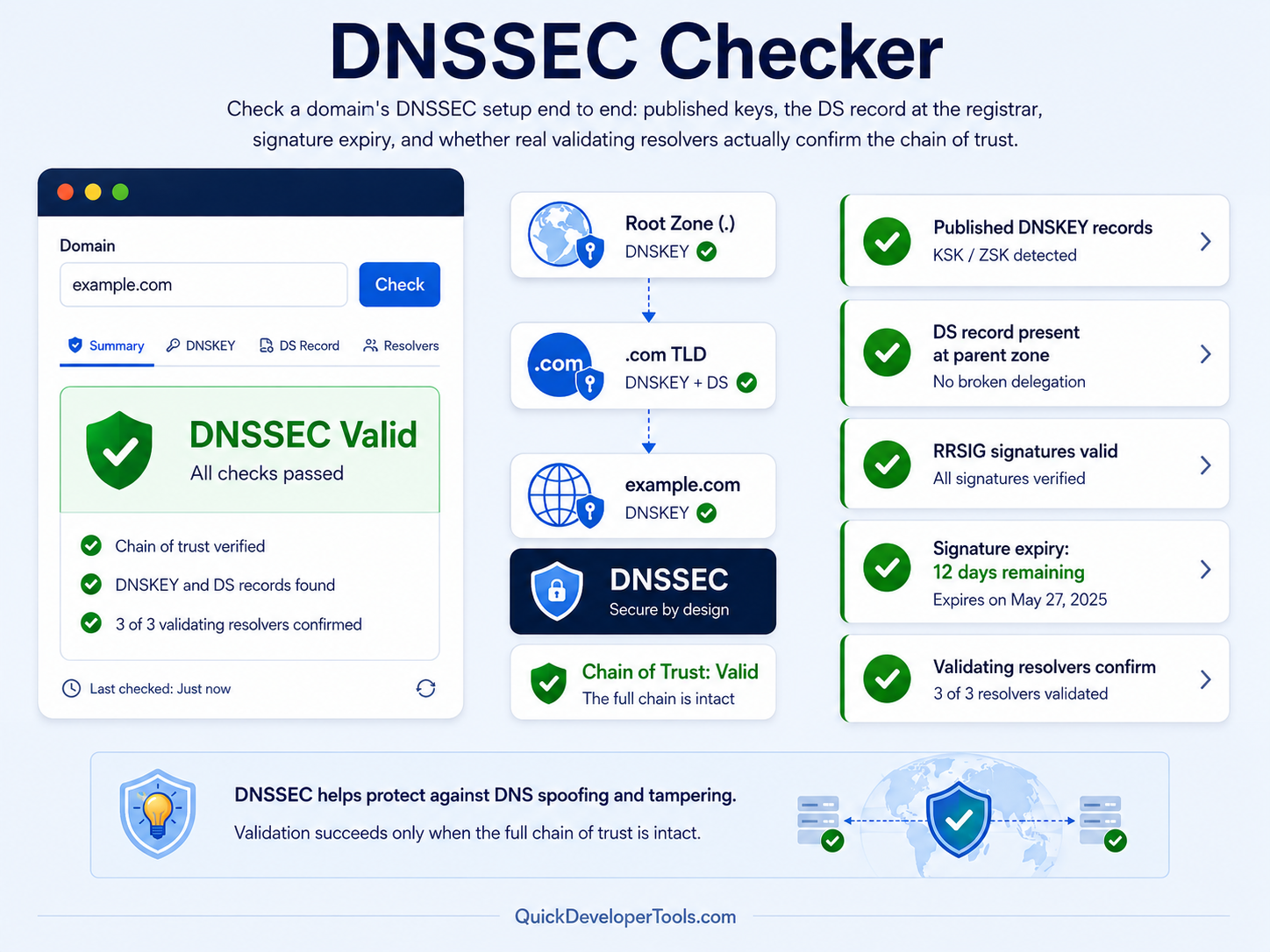
Check a domain's DNSSEC setup end to end: published keys, the DS record at the registrar, signature expiry, and whether real validating resolvers actually confirm the chain of trust.

Reads DNSKEY, DS and RRSIG records, then confirms with Google Public DNS and Cloudflare. Most domains do not use DNSSEC by default - that alone is not an error.
Enter a domain to check its DNSSEC configuration and chain of trust.
?
Not checked

Run a check to see the DNSSEC status.

DNSKEY Records 0 signing keys published by the zone
DS Records 0 trust anchors at the registrar
Signatures 0 RRSIG records found
Validators Confirming 0 / 0 resolvers with Authenticated Data set

🔑 DNSKEY Records

Published by the zone itself.

Key Tag Type Algorithm Flags

🔗 DS Records

Published at the parent zone / registrar.

Key Tag Algorithm Digest Match

🛡️ Validating Resolver Check

The Authenticated Data (AD) flag is the only trustworthy real-world "does this validate" signal.

Resolver Response Authenticated

🔎 Findings

✍️ Signatures & Expiry

Covers Key Tag Expires

📋 Query Details

Domain
Status
Validates End-to-End
Checked At

📦 Raw API Result

DNSSEC has three layers that all have to line up: the zone must publish signing keys (DNSKEY), the registrar must publish a matching trust anchor (DS), and the signatures over the data (RRSIG) must be current. This tool checks all three plus asks two resolvers that actually perform cryptographic validation whether the whole chain holds up - that last check is the one that matters most, since the first two can look correct on paper and still fail to validate.
HOW IT WORKS

Real Validation, Not Just Record Presence

Plenty of checkers stop at "does a DS record exist?" - which can pass even when the chain of trust is actually broken. This tool queries DNSKEY (with the DNSSEC-OK bit set, so any signature covering it comes back too) and DS directly, cross-checks each DS record's key tag against the zone's own published keys, and reads RRSIG expiry dates - an expired signature is one of the most common ways a working DNSSEC setup quietly breaks. It then asks Google Public DNS and Cloudflare, two resolvers documented to validate DNSSEC by default, for a plain query and checks whether they set the Authenticated Data (AD) flag - the only signal that reflects an actual cryptographic validation rather than "the right pieces appear to be present."

What else can you check?

These tools all work on the same connection and address data — pick whichever question you actually have.

Want to see the full path to a site? DNS, redirects, every hop, the CDN, TLS and the origin server. Want to know your public IP? See your IPv4 and IPv6 addresses, location, ISP and ASN. Want to check your tower & route? Live ping, speed, DNS, traceroute and a map of nearby points. Want to ping from around the world? Real latency from real probes across 12 countries, live on a map. Want to locate any IP address? City, region, country and coordinates for any public IP. Want to know if an IP is risky? Proxy, VPN, Tor, hosting and abuse-report indicators. Want to know if you're blacklisted? Check an address against major spam and abuse DNSBLs. Want to know who owns an IP? Network owner, ASN, CIDR range and abuse contact. Want to explore an AS number? Announced prefixes, BGP neighbours and registry details. Want to test your connection speed? Measure real download, upload, ping and jitter. Want to see what changed? Word-level diff between two blocks of text or code. Want to know if a DNS change is live yet? Compare answers from five independent public resolvers. Want to verify a domain's nameservers? Direct authoritative checks, glue records and SOA serials. Want to see the hop-by-hop path to a server? A real traceroute from a genuine probe anywhere in the world. Want to know if a server port is open? A real TCP connection attempt - open, closed or filtered. Want to measure latency to a server? Real connect timing - min/avg/max, jitter and connection loss. Want a clean URL slug from a title? Real transliteration, stop words and batch mode. Want to find and replace across a document? Regex, capture groups and a live preview before you commit. Want to find the invisible character? Code points, escapes, bytes and hidden-character detection. Want to escape text for HTML? Minimal, named or numeric entities, attribute-safe. Want to strip emoji cleanly? Whole clusters - no half-flags or stray modifiers left. Want to spot repeated words? Frequency, density and accidental doubles like "the the".
COMMON QUESTIONS

DNSSEC Checker FAQ

Is it a problem if my domain shows "DNSSEC Not Enabled"?

Not necessarily - most domains don't use DNSSEC and function completely normally. It becomes relevant if your registrar and DNS provider both support it and you want the extra protection against DNS spoofing/cache poisoning.

What does "Broken - DS Published, No DNSKEY" mean?

This is a serious, active misconfiguration - a trust anchor exists at the registrar but the zone doesn't publish the keys it points to. Validating resolvers will hard-fail (SERVFAIL) on every query to this domain until it's fixed, which can make the whole domain unreachable for a meaningful share of visitors.

Why check both DS/DNSKEY presence and the AD flag?

DS and DNSKEY presence shows the pieces are in place; the AD flag from a real validating resolver confirms the signatures actually check out cryptographically. A domain can have all the right records published and still fail real validation, most often due to an expired signature.

What happens when a DNSSEC signature expires?

Validating resolvers start rejecting all responses for the affected records with SERVFAIL, which looks to visitors like the domain is down - even though the underlying DNS records themselves haven't changed. Re-signing the zone (usually automatic in modern DNS providers) resolves it immediately.